Note AI: Smart Note Taker
- 4.4
- Rating
- 500.00K
- Installs
- Free
- Price

 Analysis by App-foxy
I usually know within a few days whether a note-taking app is going to become part of my routine or disappear into a folder of forgotten downloads. Note AI: Smart Note Taker made a strong first impression because it focuses on a task I regularly need: turning spoken thoughts into written notes without stopping to type. Developed by HubX, it sits in the productivity category and combines audio transcription with AI-assisted note-taking in a way that feels immediately practical.
The appeal is easy to understand. I can imagine opening it after a meeting, recording a quick idea while walking, or speaking a rough plan before I lose the thread. Instead of treating voice recording and written notes as separate jobs, the app aims to connect them. That makes it more interesting than a basic recorder and more convenient than manually typing every sentence into a traditional notes app.
Still, the real test is not whether an app feels impressive during its first session. The important question is whether it continues saving time after the novelty fades. My experience with Note AI: Smart Note Taker is that it has genuine long-term potential, especially for people who think aloud, but it works best when used with a simple personal routine. It is not a complete replacement for every notes tool, and its value depends heavily on how consistently you review and organize what it creates.
You May Also Like

 Blood Strike: 2.5 Anniversary
Blood Strike’s Loadouts Turn Every Drop Into a Tactical Gamble
A close look at Blood Strike’s custom loadouts: how fast access to signature weapons reshapes its battle royale rhythm, rewards preparation, and narrows the gap between fights.

 Pandora - Music & Podcasts
Pandora’s Music Is Easy to Start, but Harder to Recover
Pandora’s strength is its low-effort path from a seed to a station. Its weak spot is how much confidence it asks you to place in connection, setup, and quiet recovery.

 8 Ball Pool
 Is Built on Rivalries, Rematches, and Routine
A close look at the rivalries, rematches, shared routines, and unanswered safety questions that turn a quick pool match into a persistent mobile community.

 Samsung Music
’s Quiet Strength Is Playing What You Already Own
Its reach comes less from spectacle than from dependable access to a personal library. That simplicity is both the app’s strongest retention engine and its ceiling.

 AccuWeather: Weather Radar
AccuWeather Review: A Quick, Clear Forecast for Everyday Decisions
For everyday plans, the best forecast is the one you can understand quickly. AccuWeather makes rain timing, radar, and local conditions easy to act on, with a few trade-offs.

 Hill Climb Racing
Why Hill Climb Racing Still Turns Crashes Into One More Run
A tiny car, a bumpy hill and one more upgrade: Hill Climb Racing keeps resurfacing because its simple chaos makes every near-miss feel personal.
More From Our News Desk
View All News


What the first week feels like
The first week is where this app is most convincing. Speaking is often faster than typing, particularly when the idea is still unformed. I can record a thought in natural language instead of pausing to find the right wording, and that lowers the effort required to capture something before it disappears. For busy users, that small reduction in friction can matter more than a long list of advanced options.
A realistic example is a project meeting followed by a commute home. Rather than trying to reconstruct the discussion later, I could dictate the points I remember while they are still fresh: decisions, questions, names, and tasks. The resulting text gives me something searchable and editable instead of leaving the information trapped inside an audio file. I would still check important details, but the app can turn a vague memory into a usable starting document.
The same workflow works for personal planning. I might speak a shopping list, outline a weekend project, or describe several ideas for an article. In each case, the benefit is not simply transcription. The useful part is having a written version that can be shaped into a note, rather than needing to listen through a recording every time I want to find one detail.
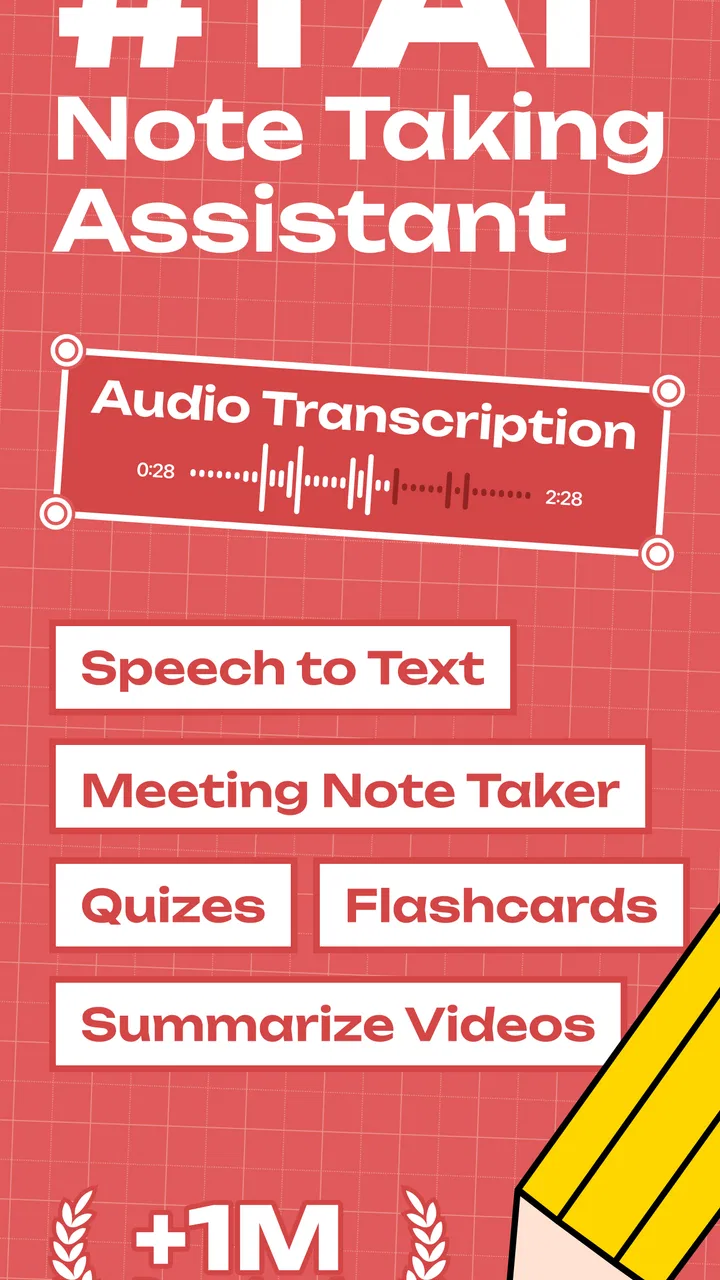
Its store summary presents the experience as instant audio-to-text transcription with AI-powered note-taking, and that description captures the central reason to try it. The app is free to start, which makes experimentation easy, although in-app purchases range from $6.99 to $99.99 per item. I would therefore test my actual weekly usage before paying for anything. A tool that saves time every day may justify spending, but occasional users should be careful not to pay for a habit they do not maintain.
The app is rated for Everyone, so it is positioned as a broadly accessible productivity tool rather than something aimed at a specialist audience. It requires Android 12 or later, which is worth checking before planning to use it on an older phone. On a compatible device, the basic idea is easy to grasp: record speech, turn it into text, and use the result as a more useful note than an untouched audio clip.
Where the early excitement comes from
The first-week excitement comes from seeing how many small moments can become notes. I do not need a desk, a keyboard, or a carefully prepared template. A short spoken capture can preserve an idea that would otherwise be lost. This is especially helpful for people who dislike typing on a phone, have long thoughts that are awkward to enter manually, or regularly move between tasks.
There is also a psychological advantage. When capturing an idea feels easy, I am more likely to capture it at all. Traditional note apps are excellent once I know exactly what I want to write, but they can create resistance when I am in a hurry. Voice-first input removes some of that resistance. The app feels most useful when it acts as a bridge between messy thinking and a more organized written record.
My advice during the first week would be to test several kinds of recordings rather than judging it from one perfect sentence. Try a short reminder, a longer explanation, a meeting recap, and a list of actions. Then inspect which outputs are genuinely helpful. This reveals whether the app fits your speaking style and whether you are comfortable correcting the text it produces.
Why monthly value depends on a habit
After the initial novelty, Note AI: Smart Note Taker has to earn its place by reducing repeated effort. Its strongest recurring use is not recording everything. It is creating a dependable capture-and-review loop. I would use it for information that begins as speech but needs to become a practical written reference: ideas, summaries, plans, reflections, and action points.
The key distinction is between capturing and keeping. Transcription solves the first problem, but it does not automatically solve the second. If I generate many notes and never revisit them, the app simply helps me accumulate a larger pile of forgotten material. The long-term benefit appears when I turn each useful recording into a decision, a task, or a clearly named reference.
A simple workflow makes a noticeable difference. I would give each recording a clear purpose before speaking, even if the note is informal. Instead of saying, “I have some thoughts about the project,” I would begin with something like, “Project review: three actions for next week.” That small habit makes the resulting text easier to scan later and reduces the cleanup needed afterward.
For students, the app could be useful for turning spoken study reflections into review material. For freelancers, it can provide a quick way to capture client-related ideas between appointments. For families, it can preserve reminders and planning thoughts when typing is inconvenient. These are not dramatic use cases, but they are exactly the kinds of repeated moments that determine whether a productivity app becomes valuable.
The app has reached over 500 thousand installs and carries a 4.4 average from around 13 thousand ratings. Those figures suggest that the voice-to-note concept has connected with a substantial audience, but they do not decide whether it belongs in my own routine. Personal fit matters more here than popularity because the app rewards people who naturally speak their thoughts and are willing to review the results.
A practical review routine
If I wanted to keep using it month after month, I would set aside a short review session after a recording-heavy day. During that session, I would delete accidental captures, correct names or technical terms, and convert useful passages into concise notes. I would not try to polish every word. The goal would be to preserve the decision or idea, not to create a perfect transcript.
One non-obvious trade-off is that longer recordings may feel efficient at the moment but create more work later. A series of focused recordings can be easier to process than one long stream of thoughts. I would separate a meeting summary, personal reflection, and task list into distinct captures. That makes the app more useful as a working tool and less like a storage box for unprocessed speech.
Another useful habit is to speak punctuation and structure through natural pauses. Even without treating the recording like dictation for publication, I can make the result clearer by saying the main subject first, grouping related points, and ending with the next action. The quality of the final note depends not only on the app but also on how deliberately I speak.
The maintenance burden you should expect
Note AI: Smart Note Taker is easier to use than a fully manual note system, but it is not maintenance-free. Every transcription-based workflow needs some checking. Names, abbreviations, background noise, accents, and fast speech can all affect how much editing a note needs. I would never treat an automatically created note as final when it contains medical, financial, legal, or work-critical details.
The maintenance burden is manageable when the app is used for drafts and personal memory aids. It becomes more noticeable when I expect publication-ready text or perfectly structured meeting minutes. In those situations, the app can provide a useful first pass, but I would still proofread carefully. The time saved comes from avoiding a blank page, not from eliminating judgment.
Organization is another responsibility. If I record many thoughts without a naming system, finding the right note later can become frustrating. I would use consistent opening phrases and keep each recording focused on one subject. This is a small discipline, but it turns a collection of transcripts into something I can actually retrieve.
There is also a difference between a note that is accurate and a note that is useful. A transcript may preserve every spoken sentence while burying the important conclusion. I would therefore edit for meaning: identify the decision, isolate the task, and remove conversational filler. The AI-assisted aspect can help with the transition from speech to notes, but I would still decide what deserves a permanent place.
The current version is 2.1.7, so the app is still something I would keep updated rather than treating the first installation as a finished experience. Updates can change the feel of a productivity workflow, and I would pay attention to whether the features I rely on remain convenient over time. For me, consistency matters more than having a large collection of options.
Where fatigue can set in
The first source of fatigue is correction. If I speak casually, jump between topics, or use specialized vocabulary, I may need to clean up the output before it becomes a dependable note. That is not a reason to reject the app, but it changes the promise. I see it as a fast capture tool with an editing stage, not as a machine that removes all writing work.
The second source is repetition. Recording every small thought can feel productive while quietly creating more material to manage. After a few weeks, I might have many notes that seemed important in the moment but no longer matter. The solution is selective use. I would reserve the app for information that is difficult to type, easy to forget, or likely to become useful later.
Payment can also affect the long-term experience. The app is free, but the listed in-app purchase range is wide, from $6.99 to $99.99 per item. That makes it especially important to understand my own usage before committing. Someone who only records occasional reminders may be satisfied without paying, while a heavy user should compare the cost with the time saved and with other transcription or note-taking options already available on the phone.
Another limitation is that voice is not always appropriate. In a quiet office, a library, public transport, or a shared room, speaking into a phone may be awkward or impossible. Typing remains better when discretion matters. A conventional notes app also wins when I need a quick visual list, a manually arranged outline, or precise formatting from the beginning.
I would also skip this app if my main need is a full project-management system. Note AI: Smart Note Taker can help me capture project thoughts, but capturing is not the same as assigning deadlines, tracking dependencies, or managing a team workflow. For those needs, a dedicated task or project tool is likely a better home, with this app serving only as an input method when speech is convenient.
When another option makes more sense
A basic voice recorder is the better choice when preserving the original audio matters more than reading a transcript. A standard notes app is better when I already type quickly and want complete control over folders, formatting, and manual organization. A dedicated transcription service may suit professionals who need specialized accuracy, formal exports, or a workflow built around large volumes of recordings.
Note AI: Smart Note Taker is most convincing in the middle ground. It is more useful than an audio file that I never replay, yet less demanding than building a detailed manual knowledge system. I would choose it for quick spoken capture followed by lightweight review. I would not choose it simply because AI sounds impressive, or because I expect it to manage my entire personal information system without effort.
Privacy and context should guide how I use it as well. I would avoid recording other people casually and would be careful with sensitive conversations. Even when an app is convenient, good note-taking includes respecting the people and information involved. For routine personal ideas, the workflow feels more comfortable than for confidential discussions where I need a clearly controlled recording process.
My long-term verdict
After the first-week appeal fades, the app still has a reason to stay installed, but only for the right user. Its lasting value comes from lowering the effort of capturing spoken thoughts and turning them into notes that I can review. That is a real productivity advantage, especially when typing is too slow or inconvenient. The benefit is practical rather than flashy: fewer lost ideas and less manual transcription.
I would recommend it to people who think aloud, regularly need quick meeting recaps, or want a simple way to create written drafts from speech. I would also recommend starting with a narrow routine, such as recording end-of-day reflections or summarizing meetings, instead of trying to send every thought through the app. A focused habit makes the value easier to judge and keeps maintenance under control.
I would be more cautious for users who need perfect accuracy, advanced project management, or completely silent note-taking. Those people may find the editing, organization, or public-recording limitations more noticeable than the convenience. The free entry point makes testing sensible, but the in-app purchase range means I would only spend more after proving that the app saves me time repeatedly.
HubX has built a productivity app with a clear everyday purpose, and its 500K+ install milestone shows that the idea has broad appeal. For me, the lasting test is whether each recording becomes a useful decision, task, or reference. If I review and shape what I capture, Note AI: Smart Note Taker can earn a permanent place on my phone. If I simply collect transcripts, the novelty will wear off quickly and a simpler notes app may serve me better.
FAQs for Note AI: Smart Note Taker
01What is Note AI: Smart Note Taker used for?
Note AI: Smart Note Taker is designed to help you capture, organize, and manage written or spoken information in one place. It can be useful for students, professionals, meetings, lectures, personal reminders, and everyday planning. Depending on the version and enabled features, the app may also use artificial intelligence to summarize notes, improve organization, or help transform rough ideas into clearer, more useful content.
02Does Note AI: Smart Note Taker require an internet connection?
Some basic note-taking functions may work without an internet connection, particularly when creating or editing ordinary text notes. However, AI-powered tools such as summarization, rewriting, transcription, or cloud synchronization may require online access because information is processed through remote services. Before relying on the app during travel, classes, or meetings, check which features remain available offline and whether mobile data usage applies.
03Are my notes private and secure in Note AI: Smart Note Taker?
Privacy depends on how the app stores and processes your notes. Standard notes may be saved locally or synchronized with an online account, while AI features can require selected content to be sent to external servers for processing. Before adding confidential information, review the app’s privacy policy, permissions, account settings, and data-retention practices. Avoid storing highly sensitive details unless you are comfortable with the stated handling of your data.
04Is Note AI: Smart Note Taker free to download and use?
The app may be available to download at no initial cost, but certain advanced tools can be restricted behind subscriptions, in-app purchases, usage limits, or trial conditions. AI processing, audio transcription, cloud storage, premium templates, and export options are common examples of features that may require payment. Check the store listing and subscription screen carefully so you understand pricing, renewal terms, and what is included before starting a trial.
05Can Note AI: Smart Note Taker record and transcribe meetings or lectures?
If the installed version includes audio recording and transcription, it may help convert spoken discussions, lectures, or personal voice notes into searchable text. Accuracy can vary depending on background noise, accents, microphone quality, speaking speed, and the language selected. Always verify important names, dates, figures, and decisions manually. You should also obtain permission before recording other people, since recording laws and consent requirements differ by location.
Pros
- Quickly turns spoken ideas into organized notes.
- AI summaries make long recordings easier to review.
- Search helps locate key points across saved notes.
- Useful templates support meetings
- classes
- and daily planning.
- Syncing keeps notes available across supported devices.
Cons
- AI transcriptions may mishear accents or background conversations.
- Some advanced features may require a paid subscription.
- Processing recordings can use considerable battery and data.
- Privacy concerns may arise when uploading sensitive discussions.
- Results depend heavily on clear audio and stable connectivity.

Note AI: Smart Note Taker
Gallery